Choose Notion if documents, wikis and shared knowledge are the heart of your team's work, and tasks come second. Choose ClickUp if tracking tasks and projects comes first and you want docs and calls bundled in. Both have free plans, so a small team can try each for a real project before deciding.
Prices checked on against each app's official pricing page.
Notion and ClickUp both try to put a team's work in one place, and both have free plans and AI features. The difference is where they start. Notion is built from pages and databases, so it shines at documents and knowledge. ClickUp is built around tasks and projects, with docs and communication added on. We compared them using each company's official pages. Prices are as of November 1, 2026.
1Docs, wikis and knowledge with tasks alongside
Notion
Free plan; paid plans per member
Notion is a workspace for capturing knowledge, documents, projects and tasks in one place. It combines pages and databases with collaboration, publishing and AI features for finding information and automating work. Because everything is a page or a database, you can build a team wiki, a project tracker and meeting notes in the same space. Plans start at Free, then Plus at US$10 per member per month, Business at US$20 per member per month and custom Enterprise pricing. It runs on iOS, Android, Mac, Windows and the web.
Pick it if your team writes a lot and wants docs and knowledge at the center.
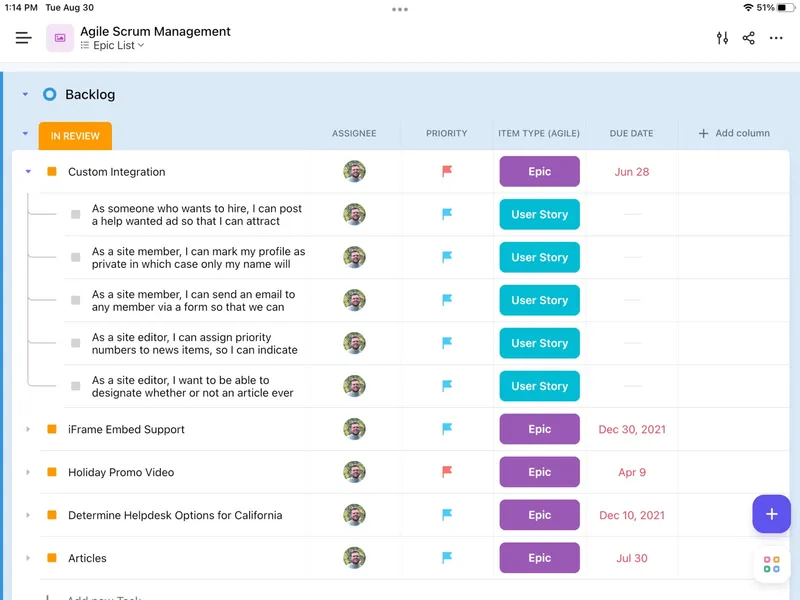
ClickUp is an all-in-one work platform for managing tasks, projects, documents, collaboration and team communication. Its Free Forever plan includes unlimited tasks, collaborative Docs, Kanban boards, SyncUps and video calls, two-factor authentication, 24/7 support and 60 MB of storage. Paid tiers are Core, Business, Enterprise and MAX AI; check ClickUp's pricing page for current rates. It runs on iOS, Mac, Windows and the web.
Pick it if your team's main need is managing tasks and projects, and you want communication in the same tool.
Choose Notion if documents, wikis and shared knowledge are the heart of your team's work, and tasks come second. Choose ClickUp if tracking tasks and projects comes first and you want docs and calls bundled in. Both have free plans, so a small team can try each for a real project before deciding.
Quick answers
Notion or ClickUp: which should you pick?
Choose Notion if documents, wikis and shared knowledge are the heart of your team's work, and tasks come second. Choose ClickUp if tracking tasks and projects comes first and you want docs and calls bundled in. Both have free plans, so a small team can try each for a real project before deciding.
Is Notion or ClickUp free?
Yes. Both Notion and ClickUp have a free plan or are free.
How much do they cost?
Notion: Free plan; paid plans per member. ClickUp: Free plan; paid plans per user.

 Task and project management with docs and chat