Todoist and TickTick are both cross-platform to-do apps with free plans, and both run on almost every device you own. This guide is for anyone choosing between them. We compared what each app covers, what it costs and where it runs, using each company's own pages. Prices are as of November 1, 2026.
1 A clean task manager that also works for teams
Todoist
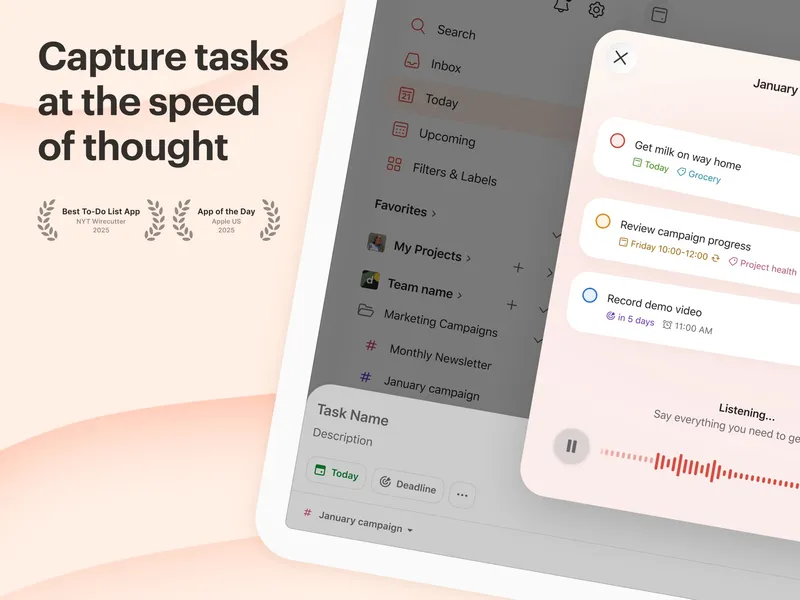
Free plan; Pro and Business plans Todoist is a task manager for capturing, organizing, prioritizing and scheduling work and life tasks. It is built around projects, priorities, dates and recurring tasks, and it connects to other tools through integrations. It runs on phones, desktops, the web and as a Chrome extension. The free Beginner plan costs nothing. Pro is US$7 a month or US$60 a year. There is also a Business plan at US$10 per user per month, which makes Todoist an easy choice if you plan to share projects with a team later.
Pick it if you want a focused task list that grows with you, from personal lists to shared work.
2 Tasks plus habits, focus timer and calendar in one app
TickTick
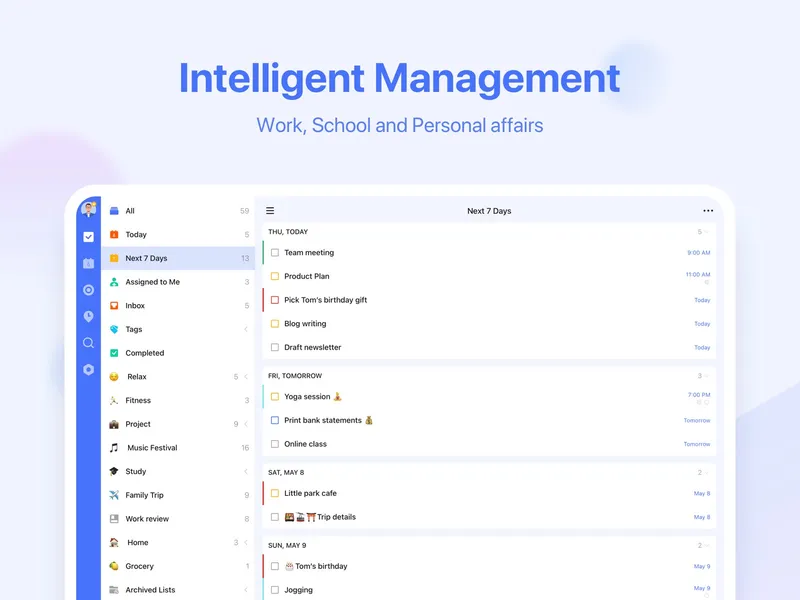
Free plan; Premium yearly TickTick puts more into one app. Next to to-do lists and reminders, it has calendar views, a Pomodoro focus timer, habit tracking, countdowns and notes. It is designed for managing both tasks and personal routines in one place. Like Todoist, it runs on iOS, Android, Mac, Windows, the web and Chrome. The free plan covers the basics, and Premium is a single price of US$49.99 a year.
Pick it if you want your tasks, habits and focus sessions in one place, and you like paying once a year.
Choose Todoist if you mostly need a strong task list and might share it with coworkers, since it has a dedicated Business plan. Choose TickTick if you want one app for tasks, habits and focused work, and a lower yearly price for the paid tier. Both have free plans, so it costs nothing to try them side by side for a week.